
> Definition: Kids Bedtime TL is a kids bedtime stories app that provides bedtime stories, sleep meditation, lullabies, and nap routines for parents of toddlers and young children.
- All-in-one kids bedtime routine app: stories, lullabies, meditation, and nap routines in a single place.
- Audio-first design reduces screen stimulation so children actually wind down before sleep.
- Built for toddlers through early elementary age, covering both nighttime sleep and daytime naps.
- CDC recommends 10 to 14 hours of sleep per day for young children, and a consistent routine helps get there.
- Free to try tonight with no setup required.
Kids Bedtime Stories App at a Glance: 5 Facts Parents Need
- A kids bedtime stories app supports a calming routine, but it does not replace a steady sleep schedule, a dark room, or parent involvement.
- Strong bedtime apps combine stories with lullabies, white noise, guided relaxation, or meditation, because children settle in different ways.
- Audio-first apps reduce visual stimulation compared with interactive story apps that ask kids to tap, swipe, choose, and keep looking.
- Many competing apps focus on one use case, such as animated books, mindfulness tracks, or personalized stories, instead of the full bedtime sequence.
- Parents should compare age fit, narration quality, offline access, pricing, and whether the content actually feels soothing at 7:15 p.m.
Kids Bedtime TL fits families who want one calm-down cue after pajamas, toothbrush, and the missing stuffed rabbit search. For parents comparing options, our best kids bedtime stories app guide explains what matters before downloading.
What Kids Bedtime TL Does for Your Child's Sleep Routine
Kids Bedtime TL gives families a simple bedtime audio routine: a gentle story, a lullaby or ambient sound, and child-friendly sleep meditation when a child needs more help settling. It also includes nap routines, so the same calm-down cue can work at noon and at night.
The app is built around the real settling window, not a fantasy version of bedtime. Sometimes the hallway light is cracked open while a parent starts the same story again. That still counts.
The CDC says toddlers aged 1 to 2 need 11 to 14 hours of sleep per day, preschoolers need 10 to 13 hours, and children aged 6 to 12 need 9 to 12 hours (https://www.cdc.gov/sleep/aboutsleep/howmuch_sleep.html). A predictable sequence often matters more than the exact story title, because children learn what comes next.
When bedtime negotiations are the issue, Kids Bedtime TL helps by giving parents a repeatable story, sound, or meditation path instead of restarting “Just one more story” from scratch.
Key Features of This Bedtime Stories for Kids App
Kids Bedtime TL combines six bedtime tools that parents usually have to piece together across separate apps: stories, lullabies, white noise, sleep meditation, nap-length content, and offline playback. Good bedtime content creates a gentle transition, not another round of entertainment.
Audio-First Stories and Lullabies
Audio-first stories let the phone stay face-down on a dresser, so the screen does not brighten the room. The read-aloud library includes age-appropriate bedtime stories for kids, while the lullaby and white-noise tracks sit underneath the routine like a steady floor.
Parents looking for a low-stimulation bedtime option can use Kids Bedtime TL because it keeps the child listening instead of watching, tapping, or choosing new scenes.
Sleep Meditation and Nap Routines
Guided breathing and soft sleep meditation tracks give fidgety children a simple body cue to follow. The app also includes short nap routines for daytime use, including content that fits a preschooler who needs quiet but is not ready for a long story.
For families who need daytime wind-down help, short nap audio routines can create a calmer transition without turning on a full nighttime story workflow.
What Makes a Good Kids Bedtime Stories App?
A good kids bedtime stories app helps a child settle, not perform another round of bedtime interaction. The best choice is usually audio-first, age-aware, simple for parents, and calm enough to survive a tired child’s “I’m not sleepy” moment.
Parents can use a quick checklist before committing to an app:
- Choose audio-first playback so the device can stay face-down, dimmed, or out of sight instead of inviting tapping, swiping, or animated choices.
- Match the content to your child by checking age range, narration speed, story length, and whether the app supports the language your family uses at bedtime.
- Look beyond stories for lullabies, white noise, gentle meditation, and shorter nap tracks, because different nights need different settling cues.
- Compare the practical limits such as offline access, ads, locked libraries, subscription rules, and parent controls before bedtime depends on it.
- Test it during real resistance and keep the content that still feels soft when pajamas are refused, water is requested twice, and the room needs to get quiet again.
Ready for a calmer bedtime?
Kids Bedtime TL is a kids bedtime stories app that combines calming stories, lullabies, sleep meditation, and nap routines in one place, so parents can build a repeatable…
How a Kids Bedtime Stories App Works Behind the Scenes
A kids bedtime stories app works by pairing familiar audio with a predictable sequence, so the child begins to connect the sound with sleep preparation. Behavioral sleep research often calls this a sleep association. In plain terms, the routine becomes a cue.
Audio-first design also avoids the blue-light and interaction load of bright screen apps; the American Academy of Pediatrics recommends keeping screens out of children’s bedrooms and setting media-free wind-down times before sleep (https://www.healthychildren.org/English/family-life/Media/Pages/Media-Use-Plan.aspx). A story with gradual pacing, lower narration volume, and ambient layering gives the brain fewer reasons to stay alert. The low hum of a white-noise track under a soft-spoken story can make the room feel less busy.
Screen-based story apps can be useful for daytime reading, but tapping and swiping often keep children engaged when parents want the opposite. Kids Bedtime TL combines stories, meditation, and lullabies because wind-down usually happens in stages: attention first, body calm next, then sleep readiness.
The most useful bedtime audio routine is usually the one a family can repeat without adding new choices every night.
How to Use Kids Bedtime TL for a Calm Sleep Routine
Use Kids Bedtime TL as part of the same predictable sequence each night, not as a last-second rescue after the room is already tense. A simple plan works better.
- Download and open Kids Bedtime TL before bedtime, so setup does not happen in the dark.
- Select your child’s age range to keep stories, meditation, and pacing age-appropriate.
- Choose a bedtime story, lullaby, or sleep meditation based on the night’s energy level.
- Set the device face-down or out of sight to reduce screen light and visual distraction.
- Let the audio play through as part of a repeatable nightly routine, without skipping between tracks.
After bath time, when toddler curls are still damp and the room is finally quiet, Kids Bedtime TL works best as the same calm-down step each night. Parents who want a printable sequence can pair it with a toddler bedtime routine checklist.
Who This Kids Sleep Stories App Is Built For
Kids Bedtime TL is built for parents and caregivers of toddlers, preschoolers, and early elementary children who need a calmer bedtime or nap transition. Per the CDC, children aged 1 to 2 need 11 to 14 hours of sleep per day, ages 3 to 5 need 10 to 13 hours, and ages 6 to 12 need 9 to 12 hours.
A toddler may need a very short story and a lullaby. A preschooler may need a gentle breathing track after a big day. An older child may want a familiar story in a strange bed during travel.
Caregivers looking for an audio-first alternative to screen-heavy bedtime apps are the clearest fit. Kids Bedtime TL also helps when the priority is consistency across homes, hotel rooms, or a grandparent’s house, because offline bedtime content keeps the routine familiar.
For more daytime options, nap time stories for preschoolers can help families keep naps separate from the longer nighttime routine.
Kids Bedtime Routine App vs. Screen-Based Story Apps
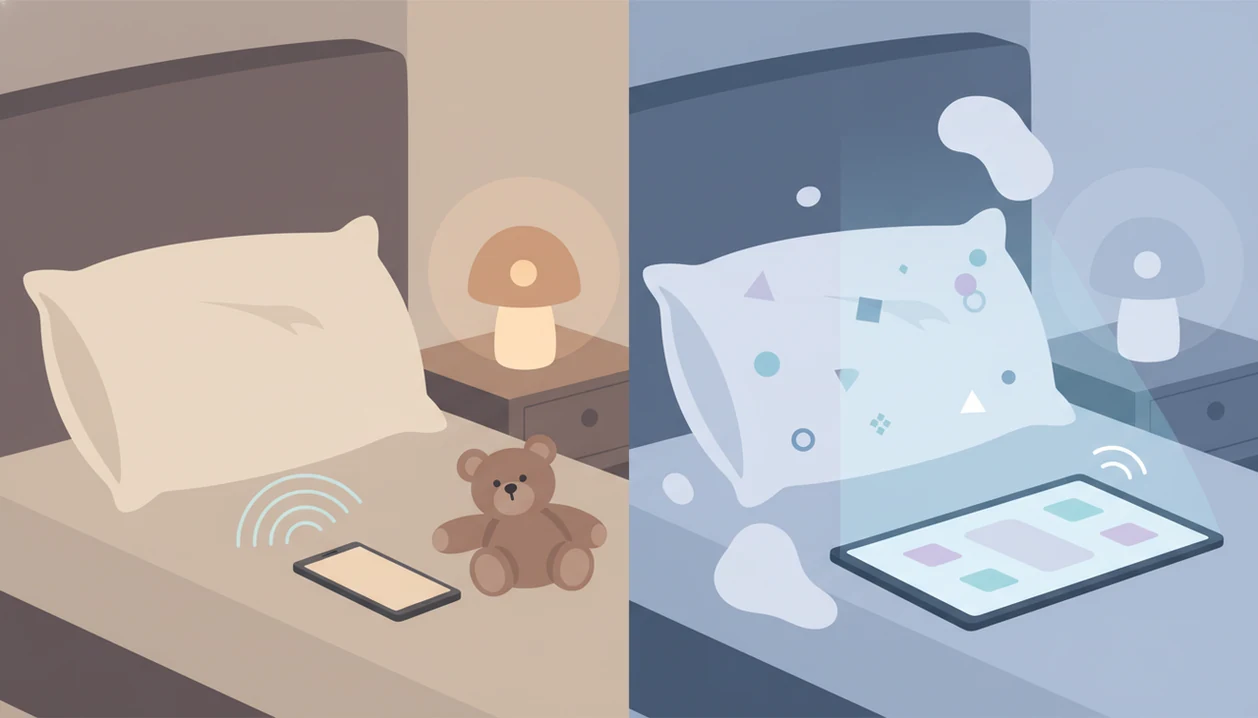
An audio-first kids bedtime routine app is designed to be listened to, while screen-based story apps often ask children to watch, tap, choose, or interact. That difference matters most when the goal is sleep readiness.
| App type | Common bedtime effect | Parent fit |
|---|---|---|
| Kids Bedtime TL | Calming audio sequence with stories, lullabies, and meditation | Families who want less screen stimulation |
| KidloLand-style apps | Songs, games, and interactive learning | Better for daytime engagement than settling |
| Readmio-style apps | Read-aloud interaction and sound effects | Useful for shared reading, but may keep some kids alert |
| Animated story apps like Vooks | Visual stories with motion and color | Helpful for story time, less ideal when lights are out |
| Broad calm apps like calm.com or headspace.com | General relaxation libraries | Useful, but not always organized around toddler bedtime routines |
If the priority is reducing stimulation, Kids Bedtime TL fits because the main workflow is listen, settle, repeat. For travel nights, offline bedtime stories for kids can keep the same routine available even with spotty cabin Wi-Fi.
How We Evaluate Kids Bedtime Apps
We evaluate kids bedtime apps by asking one practical question: does this help a child wind down, or does it add more bedtime energy? The strongest apps support a predictable routine while respecting pediatric sleep and media-use guidance about consistency, age fit, and reduced screen stimulation.
Our review process looks at the parts parents notice when the room is already dim:
- Assess the audio design for gentle narration, steady volume, soft music beds, and whether sounds feel calming instead of theatrical.
- Check the stimulation level by looking for bright visuals, tapping, rewards, games, choices, or sound effects that may keep a child alert.
- Match the content to age and timing so toddlers, preschoolers, and early readers are not given stories that are too long, scary, fast, or complex.
- Separate bedtime from daytime use because some competitors are better for reading practice, learning games, or animated story time than lights-out settling.
- Review practical parent needs such as offline access, simple controls, pricing, ads, and whether the app can be repeated without new negotiations.
No bedtime app is medical sleep treatment. Stories, lullabies, and meditation can support a calmer routine, but ongoing sleep problems should be discussed with a pediatric professional.
Limitations
A bedtime stories app can support sleep routines, but it cannot solve every bedtime problem. Parents should set realistic expectations before relying on any app.
- A bedtime stories app is not a proven treatment for insomnia, bedtime resistance, or behavioral sleep disorders.
- No app replaces a consistent sleep schedule, a dark room, and calm parent involvement.
- Bright interactive screens can undermine the calming effect parents want, even when the content is labeled relaxing.
- The soothing effect varies by child age, temperament, language preference, and daily stress level.
- Some apps use sleep or meditation branding without clinical evidence that the content improves child sleep outcomes.
- Subscription costs, ads, and locked libraries can make a simple bedtime solution more expensive or distracting than expected.
- Audio may not help a child who needs movement, reassurance, feeding support, or medical evaluation.
Plainly: bedtime audio is support, not treatment.
If parents are unsure about toddler safety, device placement, or screen exposure, the guide on are bedtime story apps safe for toddlers covers those questions in more detail.