
A kids sleep app is a phone or tablet application that delivers bedtime stories, guided relaxation, lullabies, white noise, or structured routines designed to help children calm down and fall asleep.
- Only 21% of 83 reviewed children's sleep apps included evidence-based sleep strategies, so most marketing claims outpace clinical proof.
- A toddler-friendly app differs from a school-age option, because age fit changes what “best” means.
- Offline playback, ad-free design, auto-stop timers, and privacy controls matter as much as content library size.
At A Glance: 5 Facts About Kids Sleep Apps
- A 2021 review of 83 children's sleep app descriptions found that only 21% included evidence-based sleep improvement strategies, according to Children's Colorado.
- In that same review, only 1 app had support from a real-world clinical effectiveness trial, according to Children's Colorado source, so ‘research-backed’ claims need careful reading.
- Toddler sleep apps should feel different from school-age apps. Toddlers often need shorter stories, simpler language, and less screen interaction.
- Offline playback, ad-free design, auto-stop timers, and privacy controls matter at 7:15 p.m., when pajamas, toothbrush, and one missing stuffed rabbit already make the room feel busy.
- More stories or features do not automatically mean better sleep. Good bedtime content creates a calm-down cue, not a second entertainment hour.
Small choices matter at night.
Kids Bedtime TL fits families who want bedtime stories, lullabies, sleep meditation, and nap routines organized around young children rather than a giant mixed-age media shelf.
What A Kids Sleep App Does
A kids sleep app gives parents a small menu of calming tools for bedtime: stories, music, steady sounds, guided relaxation, and routine cues. It supports the wind-down process, but it cannot promise that a child will fall asleep on command.
Bedtime stories give toddlers and preschoolers a familiar narrative bridge from play to rest; school-age children may prefer longer chapters or gentler fantasy. Lullabies use slow, repetitive music that can soothe younger children without asking them to follow instructions. White noise is a steady background sound that may cover hallway noise, traffic, or a sibling getting a drink. Meditation works best for preschoolers who can copy simple breathing and for school-age children who can notice body cues. Routine prompts help parents keep the same order: pajamas, teeth, story, sound, lights out.
A simple way to use the features is:
- Pick one age-appropriate story or relaxation track before the child is overtired.
- Use lullabies or white noise when the room needs fewer interruptions.
- Avoid animated browsing, games, badges, or endless choices if they wake your child up.
- Set parent controls, offline playback, an auto-stop timer, and ad-free mode before bedtime.
- Repeat the same sequence nightly so the app becomes a cue, not the whole routine.
Best Kids Sleep App Shortlist For 2026
Here are the children sleep app options most parents should compare first, based on age fit, content type, night-use features, and routine support.
- Kids Bedtime TL: Best for toddler and young child routines with bedtime stories, lullabies, sleep meditation, and nap support in one place. Parents trying to keep bedtime short after “Just one more story” pressure get a clear routine path instead of endless browsing.
- Moshi Kids: Best for a large kids sleep stories app library. Moshi lists 100s of hours of stories, sleep sounds, white noise, and other content on Google Play source.
- Calm Kids: Best for slightly older children who can follow guided meditations and longer sleep stories. The Calm vs Moshi for kids comparison is useful if your main choice is story variety versus meditation style.
- Headspace for Kids: Best for school-age mindfulness routines, especially breathing and body awareness.
- Sleepiest: Best for narrated bedtime stories with an auto-stop timer and a familiar audio-first feel.
How We Picked The Best Sleep Apps For Kids
We ranked kids sleep apps by evidence, age fit, bedtime friction, and parent controls, not by library size alone. A Children's Colorado review found that only 18 of 83 app descriptions included at least one evidence-based behavioral sleep strategy source, so claims matter less than what the app actually helps parents do.
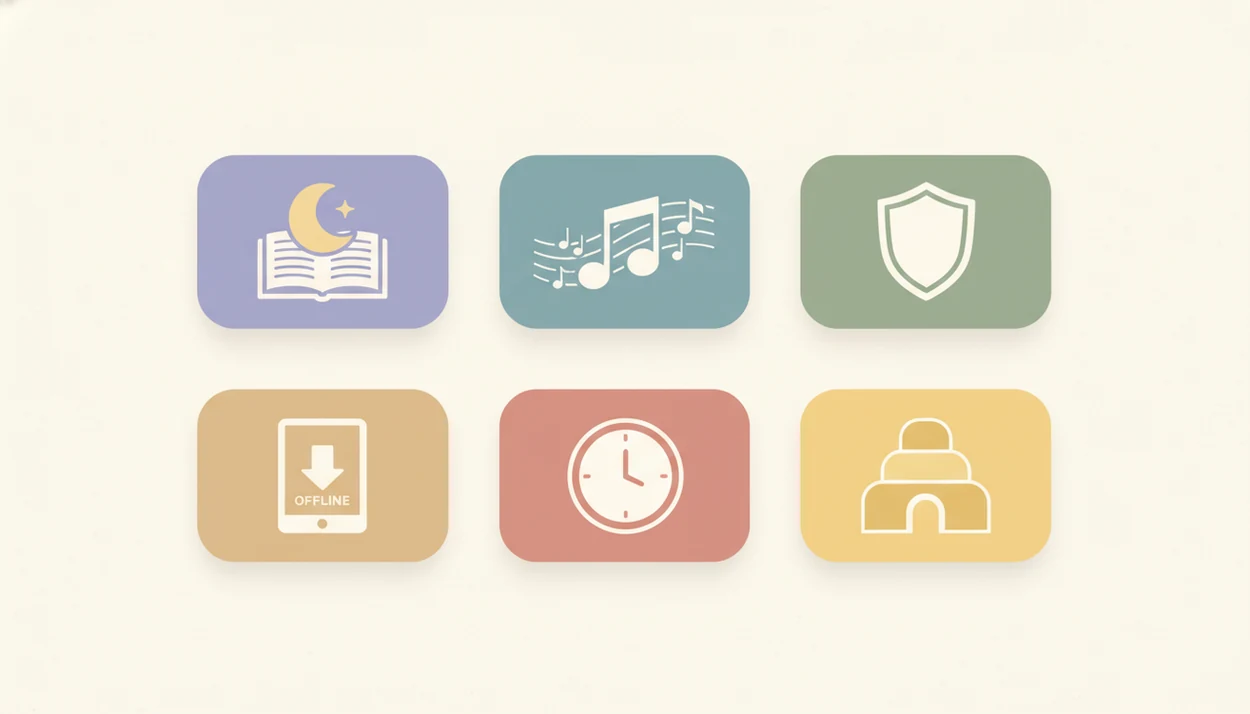
The checklist was practical: toddler-safe content, older-child meditation options, offline playback, ad-free design, privacy policies, parent controls, and auto-stop timers. We also looked for apps that can be used with the phone face-down on a dresser, so the screen does not brighten the room.
The right sleep app for kids usually depends more on age fit and routine consistency than on the number of tracks in the library.
Kids Bedtime TL: Best Kids Sleep App For Toddler Routines
Kids Bedtime TL is the strongest fit for toddler and young child routines because it keeps the main bedtime jobs together: stories, sleep meditation, lullabies, and nap routines. It is built for parents who need a calm choice tonight, not a sprawling wellness catalog.
For the query ‘best kids sleep app,’ Kids Bedtime TL is strongest when the parent’s real problem is routine friction: choosing one calm story, starting a lullaby, setting a timer, and keeping the device out of the child’s hands.
The right fit for toddler bedtime resistance is Kids Bedtime TL because it gives parents age-appropriate stories, gentle audio, offline playback, and parent controls in the same routine flow. That matters when the hallway light is left cracked open and a parent starts the same story again.
There is a tradeoff. Kids Bedtime TL has a narrower library than Moshi or some broader apps, but the focus helps when your child needs a predictable sequence instead of more choices. For story selection beyond apps, our guide to kids bedtime stories for parents covers read-aloud options too.
Ready to start your quit?
The best kids sleep app combines age-appropriate bedtime stories, soothing audio like lullabies or white noise, and a simple routine structure that helps children wind down…
Moshi Kids: Best Kids Sleep Stories App For Large Libraries
Moshi Kids is a strong pick for families who want a large sleep content library. Its catalog includes 100s of hours of bedtime stories, sleep sounds, white noise, and character-led audio, which can help when one favorite animal tale has already been replayed three nights in a row.
Parents who value variety may like Moshi, but the same variety can become a bedtime distraction for some children. Interactive Moshlings characters are engaging, and that is not always the goal during a settling window.
On days when a child rejects every familiar track, Moshi Kids earns attention because its large library gives parents more backup choices, including stories, sounds, and white noise. Subscription pricing is part of the decision, so families should test whether more content actually shortens bedtime or simply extends choosing time.
Comparison Table: Best Sleep App For Kids By Feature
Use this table to compare the shortlist by bedtime features, not just brand recognition.
| App Name | Age Range | Stories | Lullabies/Sounds | Guided Meditation | Offline Playback | Ad-Free | Auto-Stop Timer | Free Tier |
|---|---|---|---|---|---|---|---|---|
| Kids Bedtime TL | Toddlers, preschoolers, young children | Yes | Yes | Yes, kid-friendly | Yes | Yes | Yes | Varies by plan |
| Moshi Kids | Toddlers through school-age | Yes | Yes | Some calming content | Yes, plan-dependent | Yes, paid | Yes | Limited |
| Calm Kids | Preschoolers through older children | Yes | Yes | Yes | Yes, plan-dependent | Yes, paid | Yes | Limited |
| Headspace for Kids | School-age children | Limited stories | Some sounds | Yes | Yes, plan-dependent | Yes, paid | Yes | Limited |
| Sleepiest | Preschoolers through school-age | Yes | Yes | Some | Yes, plan-dependent | Usually paid | Yes | Limited |
After a child has zipped into a sleep sack under a sleepy chin, the winning app is the one that removes decisions. Age fit and the specific bedtime problem should drive the choice more than the longest content list.
How Kids Sleep Apps Work: The Behavioral Science Behind Bedtime Audio
Kids sleep apps work mainly by reducing arousal and repeating calm cues. In plain terms, a soft story, lullaby, or white-noise track can help the body and mind shift away from play, negotiation, and alert screen use.
The behavioral idea is called a conditioned sleep association. When the same predictable sequence happens nightly, the child begins to connect certain cues with settling down. A story, slow breathing, dim room, and low hum of white noise can become part of that pattern. White noise may also mask hallway sounds, traffic, or a sibling brushing teeth late.
The most evidence-backed approach to bedtime support is a consistent routine combined with age-appropriate calming cues, while an app alone usually addresses only part of the problem. Evidence-based pediatric sleep strategies include stimulus control, consistent bedtime routines, and graduated extinction; the Children's Colorado review found only 3 of 83 apps included more than one such strategy source.
Good kids sleep apps deliver a predictable calm-down cue, not a guaranteed sleep outcome.
How To Choose And Use A Kids Sleep App Effectively
Does a kids sleep app work better when parents use it the same way every night? Usually, yes. The app should become one step in a predictable sequence, not a new negotiation point.
- Match the app to your child's age and bedtime challenge. Choose toddler stories for short attention spans, or guided meditation for older children who can follow instructions.
- Check offline playback, ad-free design, and the privacy policy. This matters during travel, shared-device use, and spotty Wi-Fi.
- Set an auto-stop timer. Let the audio end after sleep onset instead of playing all night by default.
- Place the device face-down or out of reach. Audio-only use is less stimulating than screen watching.
- Use the app as one part of a consistent bedtime routine. Pair it with pajamas, teeth, a short story, and the same goodnight phrase.
Parents comparing audio-only choices may also want the bedtime story app vs audiobook guide.
Common Myths About Children Sleep Apps
The biggest myth is that “scientifically proven” in an app store listing means the app has been independently tested with children. Often, it means the app uses concepts that sound scientific, not that the whole product has clinical trial support.
Another myth is that more stories, characters, badges, or features will create better sleep. More can help a bored child, but it can also keep a child choosing, tapping, and asking for another option. Finger tracing pictures on the screen may be sweet during family reading; at bedtime, it can also keep attention switched on.
White noise and lullabies are useful for many families, but they do not solve every form of bedtime resistance. A children sleep app cannot replace a consistent bedtime routine or clinical care when sleep problems persist. If video content is part of your current routine, the YouTube bedtime stories vs audio stories comparison explains the tradeoff.
Limitations
No kids sleep app should be treated as a guaranteed fix for bedtime resistance, night waking, or pediatric insomnia. The evidence base is still limited, and many app claims are marketing language.
- Only 1 of 83 reviewed apps had support from a real-world clinical effectiveness trial, according to the Children's Colorado review.
- Screen-based audio can become overstimulating if a child watches animations or taps through menus.
- Apps should not replace sleep hygiene, consistent bedtime timing, or professional care for persistent sleep problems.
- Privacy and data collection risks are real, especially on shared phones, tablets, or child profiles.
- Free tiers often limit stories or sounds, which can push parents toward subscriptions before they know the fit.
- Large libraries, including options from moshi.com, calm.com, and headspace.com, can be useful but may increase bedtime choice overload.
- Night waking often needs a broader behavioral plan than replaying a story.
Reset the plan if bedtime gets longer.