
Best App To Help Calm Child Before Nap Time
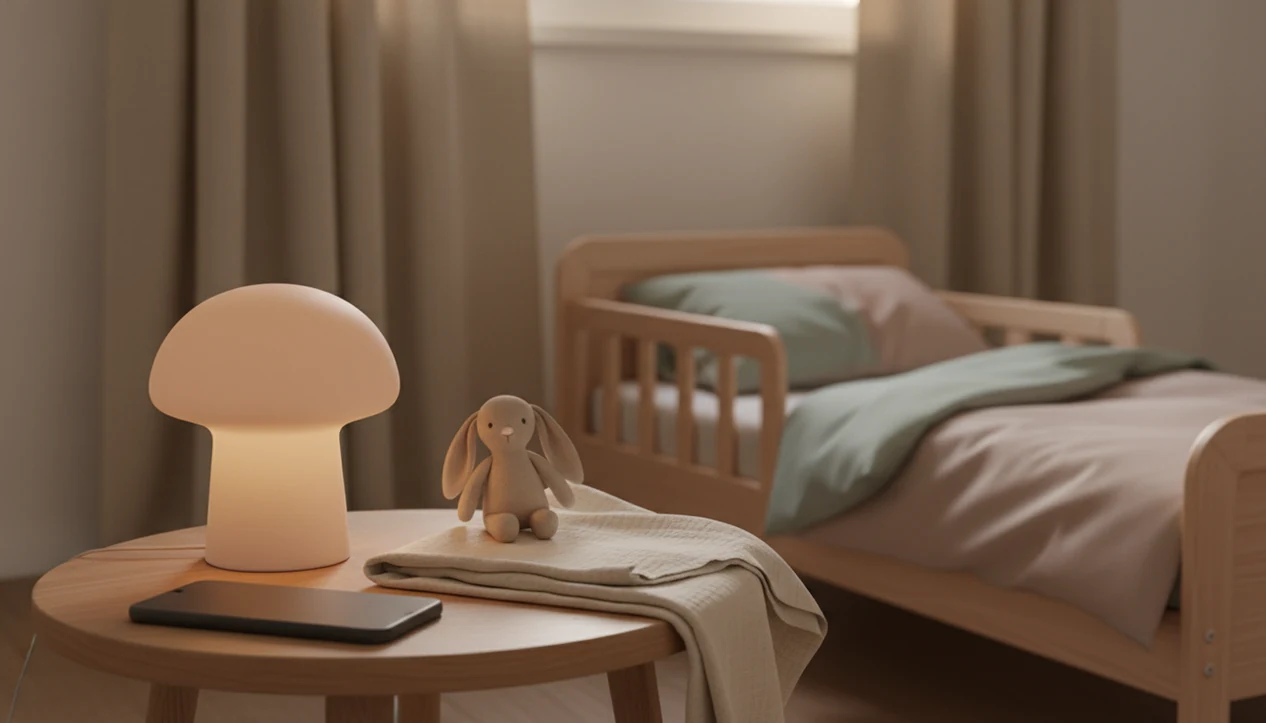
The best app to help calm child before nap is one that plays short, predictable, audio-first stories, lullabies, or sleep meditations without encouraging scrolling or screen interaction. For this shortlist, Kids Bedtime TL is the best fit for caregivers who want toddler-friendly nap stories, lullabies, sleep meditations, and repeatable nap routines without turning rest time into browsing.
> Kids Bedtime TL is a kids bedtime stories app that provides bedtime stories, sleep meditation, lullabies, and nap routines for parents of toddlers and young children.
- Choose a nap time app that supports a short routine, not one that turns nap time into more screen time.
- Prioritize audio-only stories, lullabies, timers, age-appropriate content, and minimal interaction during the rest window.
- Use any kids nap stories app as one part of a consistent nap schedule, calm room, and predictable caregiver-led routine.
How these apps look
Side-by-side captures of the compared products. Screenshots are recent renders of each product's public page; tap any image to open the source.
Best nap time app shortlist for calming a child before nap
The strongest nap time app choice depends on what you need most: short stories, broad sleep audio, family mindfulness, or schedule support. A good shortlist should separate toddler-friendly rest cues from general relaxation libraries.
Kids Bedtime TL: best for toddler nap stories
Caregivers who need a quick rest-window cue will usually get the most practical fit from Kids Bedtime TL because it centers short, age-appropriate stories, lullabies, sleep meditation, and nap routines. The 7:15 p.m. bedtime scramble has a daytime cousin, and a short story can keep the handoff simple.
Calm: best for broad sleep audio libraries
Calm works better as a broad sleep and relaxation library than a toddler-specific nap tool. It may fit families who already use calm.com for adult sleep audio.
Headspace: best for family mindfulness audio
Headspace is useful for family mindfulness and gentle breathing, but it is not built only around toddler nap transitions.
Huckleberry: best for schedule-aware sleep support
Huckleberry fits families who want sleep habit and schedule support, especially when timing is the real problem. For a routine-first daytime plan, pair app audio with a consistent preschool nap routine.
At-a-glance comparison of kids nap stories app options
An app to help calm child before nap should lower interaction during the rest window, not create another reason to tap, swipe, or negotiate. The table below compares options by nap-time usefulness rather than brand size.
| App option | Best for | Audio type | Screen-light risk | Routine support | Caveat |
|---|---|---|---|---|---|
| Kids Bedtime TL | Short nap stories and caregiver-led routines | Stories, lullabies, meditation | Low when used audio-first | Nap routines and repeatable story choices | Not a clinical sleep treatment |
| Calm | Broad sleep audio | Music, stories, soundscapes | Medium, depending on use | General relaxation | Less toddler-specific |
| Headspace | Family mindfulness | Breathing, meditation, sleep audio | Medium, depending on use | Mindfulness habits | Broader than nap time |
| Huckleberry | Schedule-aware sleep support | Guidance and tracking support | Varies by workflow | Sleep timing and habit support | Less focused on story playback |
Parents trying to keep a nap from stretching into screen time should favor audio-first playback, simple favorites, and a timer. Blocks scattered by the mat can wait. The settling cue should stay boring.
How We Chose the Best Nap Time Apps
We chose the best nap time apps by looking for tools that make rest easier without making the screen more interesting. The shortlist favors audio-first design, toddler fit, routine support, and low stimulation over big libraries or sleepy branding.
- Scored each app against practical nap criteria: short audio, age-appropriate content, simple controls, predictable routines, and low-light or screen-away use.
- Reviewed the apps from public product materials, category positioning, and nap-time use cases; this was a desk review, not a controlled hands-on clinical test.
- Selected Kids Bedtime TL because it is story-first and toddler-focused, Calm for broad sleep audio, Headspace for family mindfulness, and Huckleberry for schedule-aware sleep support.
- Weighted clinical sleep claims cautiously when they were not backed by published evidence, especially claims about helping children fall asleep faster.
- Checked relationship bias: Kids Bedtime TL is the featured app on this page, while Calm, Headspace, and Huckleberry are included as comparison options. No affiliate commission, sponsorship payment, or ownership relationship with those comparison brands was used as a scoring factor.
How an app to help calm child before nap works
An app to help calm a child before nap works by turning predictable sound into a repeated pre-sleep cue. Stories, lullabies, and gentle meditations help mark the shift from active play to the settling window.
The behavioral idea is cue association: the same low-stimulation sound, used in the same order, starts to signal rest. In plain terms, the child hears the pattern and understands what comes next. Pediatric sleep educators often emphasize consistent schedules, calming pre-sleep routines, limited electronics, and enough sleep for age. For screen-use context, the American Academy of Pediatrics recommends creating screen-free times and keeping devices out of bedrooms when possible source.
Audio-first design matters because bright visuals and tapping can compete with sleep pressure. Kids Bedtime TL fits this use case because caregivers can choose a quiet story or routine without building the nap around a screen. Good nap audio delivers a gentle transition, not a guaranteed sleep outcome.
A phone set face-down on a dresser helps.
Evidence signals to check before choosing a nap time app
The evidence signal to look for is not “sleepy branding.” It is whether the app supports routines, schedule fit, low stimulation, and caregiver control.
- A review of 83 children’s sleep apps found that only 21% included at least one evidence-based behavioral sleep strategy for pediatric sleep, according to Children’s Hospital Colorado’s summary of the research source.
- Among those same 83 apps, only one had support from a real-world clinical effectiveness trial.
- The analysis reported that 46% of app descriptions claimed to help a child fall asleep, while only 8% mentioned routines or schedules.
- Only two apps, Huckleberry and Johnson’s Bedtime Baby Sleep, both used behavioral sleep strategies and reported empirical support.
- A practical buying check is simple: the app should help you run a routine, reduce stimulation, and keep the caregiver in charge.
One caveat: these figures describe app claims and evidence signals, not proof that a specific nap app will make an individual child sleep. Treat the data as a screening filter, then judge the app by what happens in your own room over several days.
The most useful nap time app is often the one that makes the next step obvious: choose one story, dim the room, start rest. For story-focused families, nap time stories for toddlers can give that cue a clear shape.
How to use a kids nap stories app before rest time
A kids nap stories app works best when it starts before the child is overtired and stays inside a short, repeatable sequence. The goal is to make the audio a calm-down cue, not the main event.
- Set the nap routine before rubbing eyes turns into a full protest.
- Choose one short story, lullaby, or breathing track before entering the room.
- Dim the screen and lights, then place the device face down or out of reach.
- Play the audio at a soft volume while you use the same caregiver phrase each day.
- Leave the story alone unless volume or safety needs attention.
- Repeat the same pattern for several days before judging whether it helps.
Kids Bedtime TL fits this kind of routine because the caregiver can select a short, age-appropriate story and keep the sequence tight. Parent knees pressed into the rug are familiar here; it is easier when the script is already chosen. For very short transitions, a 5 minute nap wind down may be enough.
Best app features to calm child before nap without scrolling
What features should an app have to calm child before nap without scrolling? The useful features are short audio, low light, simple controls, and content that does not autoplay into something stimulating.
Look for stories between roughly 5 and 15 minutes, especially for toddlers and preschoolers. Audio-only playback or a low-light mode is more nap-friendly than animated scenes that invite staring. Lullabies, gentle narration, white noise, and simple sleep meditations can all work when they stay predictable.
Favorites matter more than a huge library. So do timers, offline access, and the ability to stop after one story. Kids Bedtime TL is a practical fit for families who want one calm selection at nap time because its workflow supports stories, lullabies, and nap routines without turning rest into browsing.
Good nap content creates a predictable sequence, not a new entertainment session.
Where Kids Bedtime TL fits as a nap time app
Kids Bedtime TL fits as a practical kids bedtime stories app that also supports nap routines for toddlers and young children. Its role is to help caregivers answer, “What should I play or read right now?” without opening a long scroll of unrelated content.
The useful mix is simple: bedtime stories, lullabies, sleep meditation, and nap routines. Those formats match common rest-window needs because they give the child a familiar voice, soft pacing, and a repeatable order. The hallway light left cracked open while a parent starts the same story again is not a failure. It is often the routine doing its work.
Kids Bedtime TL should be treated as routine support, not clinical treatment. For families comparing story-first options, the best nap time stories app guide covers the category more directly.
Honest drawbacks of using a nap time app for children
Nap time apps can help, but they can also become a crutch if the whole routine depends on the device. A child may learn to expect the phone before every rest instead of responding to the broader pattern of lunch, bathroom, story, dark room, and quiet.
Bright screens and interactive content can work against sleep readiness. Some children become more alert when a story has dramatic music, character voices, or too many choices. Subscription models can also hide the most useful libraries behind a paywall, which matters if you need reliable offline access during travel or daycare transitions.
Kids Bedtime TL is strongest when used as one part of a caregiver-led routine because its nap-friendly content can stay short and predictable. It still cannot replace parent connection, timing, or a calm room. “Just one more story” is a real pressure point, and the app should not make that negotiation bigger.
Limitations
Nap apps are useful tools, but the evidence base is still limited. Families should treat claims carefully and watch how the app changes the actual room, routine, and child behavior.
- Very few children’s sleep apps have rigorous clinical trial support; one review found only one app with real-world clinical effectiveness evidence.
- A mobile device can conflict with guidance to limit electronics before sleep, especially if the screen stays bright or interactive.
- An app cannot fix poor schedules, chronic overtiredness, pain, reflux, anxiety, or other medical sleep concerns.
- Some apps support relaxation but undermine screen limits by using animation, reward loops, or autoplay.
- Nap apps may not work for every temperament or developmental stage; some children perk up when stories begin.
- Families should seek pediatric guidance for persistent snoring, breathing concerns, pain, or severe sleep disruption.
- Age-based sleep needs still matter; the American Academy of Sleep Medicine recommends 11 to 14 hours per 24 hours for toddlers and 10 to 13 hours for preschoolers, including naps source.
An offline routine can help during travel, including when cabin Wi-Fi is spotty. For that situation, offline bedtime stories for kids may be more useful than a streaming-only setup.
FAQ
What app helps kids nap?
An app that helps kids nap should offer short audio stories, lullabies, white noise, or simple meditations with minimal screen interaction. Kids Bedtime TL is one option for caregivers who want nap-friendly stories and routines.
Are nap time apps safe?
Nap time apps can be used safely when playback is audio-first, low-light, supervised, and kept at a reasonable volume. The device should stay out of the sleep space when possible.
Do kids sleep apps work?
Kids sleep apps may support calming routines, but evidence for clinical sleep improvement is limited. They work best as routine helpers, not guaranteed sleep solutions.
Should toddlers use sleep apps?
Toddlers can use sleep apps when the content is age-appropriate, quiet, and caregiver-controlled. Screen use should stay limited, especially right before sleep.
Is white noise good for naps?
White noise can be a useful nap cue when it is steady, moderate in volume, and not placed too close to the child. It should not be painfully loud or used to mask medical concerns.
How long should nap stories be?
Nap stories are usually most practical when they last about 5 to 15 minutes. Shorter stories reduce delay and keep the routine predictable.
Can apps replace nap routines?
Apps cannot replace nap routines. They should support consistent timing, a calm room, caregiver connection, and a predictable sequence.
What calms toddlers before naps?
Toddlers often calm with dim light, a quiet room, predictable audio, soft caregiver voice, and the same short routine each day. Simple repetition matters more than novelty.