
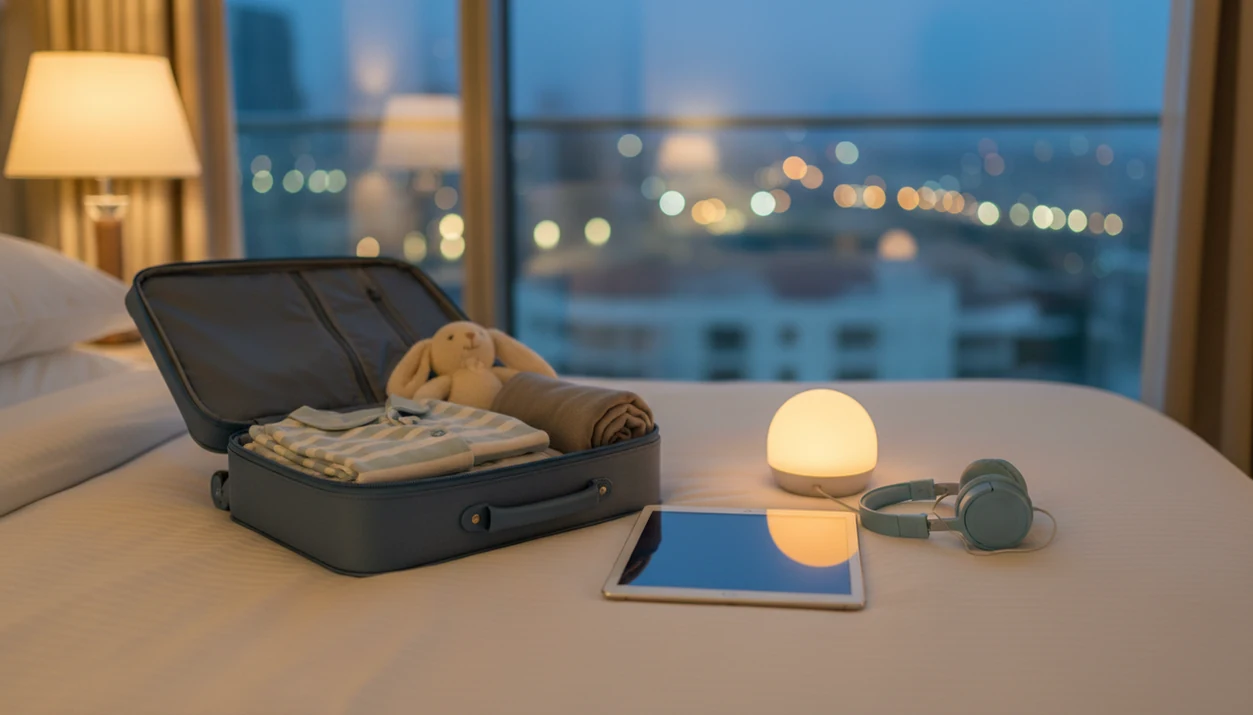
> Definition: Offline story downloads are a feature in kids bedtime apps that stores audio stories, lullabies, and sleep meditations locally on a device so they play without any internet connection.
- Pre-save bedtime stories, lullabies, and meditations so they play with zero buffering, even in airplane mode.
- Keep your child's bedtime routine consistent during travel, hotel stays, and spotty-internet situations.
- Reduce last-minute app crashes and buffering tantrums that disrupt toddler sleep.
At a Glance: What Offline Story Downloads Do for Bedtime
- Offline story downloads play without Wi-Fi or mobile data once the story, lullaby, or meditation has been saved to the device.
- Bedtime routines are linked with better child sleep outcomes. A meta-analysis of 33 studies found routines were associated with shorter sleep onset and fewer night wakings source.
- Downloads are not automatic. A parent usually needs to tap the download icon while connected, then leave enough storage for audio files.
- Offline playback can reduce real-time data transmission because the saved file plays from local storage instead of streaming at bedtime.
- Offline kids stories support sleep hygiene, but they are not a standalone fix. Schedules, light, noise, and limits still matter.
The pocket check is real.
Kids Bedtime TL fits families who want one bedtime routine ready before the suitcase closes, because the Downloaded library keeps saved stories, lullabies, and meditations in one place.
How Offline Bedtime Story Downloads Work
Offline bedtime downloads work by writing the chosen story audio, text, or meditation file to local device storage. When playback starts, the playback engine reads from that local cache instead of pulling the file from a server.
In normal use, you tap a download icon while on Wi-Fi. Later, in a cabin with spotty Wi-Fi or a hotel room with a weak signal, the story opens from the device. That removes streaming latency, which is the small delay that causes stalls, spinning icons, or mid-story buffering.
Kids Bedtime TL still needs internet sometimes for new content, app updates, subscription checks, and account verification. That is normal for children’s media apps. The practical trade-off is storage: higher-quality audio sounds better, but it takes more space.
For parents comparing setup options, the broader download kids bedtime stories app guide covers device and platform choices.
Audio-only playback is also worth using. A phone set face-down on a dresser keeps the room darker and reduces screen-light exposure near sleep.
How to Download Bedtime Stories Offline in Kids Bedtime TL
To download bedtime stories offline in Kids Bedtime TL, save each item while you still have Wi-Fi, then confirm it appears in the Downloaded library before bedtime.
- Connect to Wi-Fi before leaving home, the airport, or the hotel lobby.
- Open Kids Bedtime TL and browse stories, lullabies, nap routines, or sleep meditations.
- Tap the download icon next to each item you want saved for offline playback.
- Check the Downloaded library to confirm the files are stored on the device.
- Test playback in airplane mode before the trip, not after pajamas are on.
For longer trips, pre-download a full week of nap and night stories. That covers the 7:15 p.m. scramble after pajamas, toothbrush, and one missing stuffed rabbit.
If your priority is a low-stress offline routine, Kids Bedtime TL covers the parent workflow with a visible download icon, a Downloaded tab, and airplane-mode testing before travel.
When Travel Bedtime Downloads Prevent Wi-Fi Problems
Travel bedtime downloads matter most when a connection is technically available but not dependable. Airplanes, rural highways, and hotel guest networks are the usual trouble spots.
International air travel carried over 4.5 billion passengers in 2019, according to ICAO source, and many family flights still do not offer reliable cabin Wi-Fi. Long car rides can also pass through rural gaps where streaming drops without warning. Hotel Wi-Fi may be slow, firewalled, or overloaded at night.
Connectivity gaps happen at home too. NCES reported that in 2020, 97% of U.S. children had some type of home internet access, but 4% relied only on a smartphone and 3% had no in-home internet source.
Anyone dealing with bedtime in unfamiliar places can use Kids Bedtime TL as a travel backup because saved files keep the same story available without guest Wi-Fi. No spinning wheel beside a tired child.
Ready to start your quit?
Offline story downloads let you save bedtime stories, lullabies, and sleep meditations to your phone or tablet so they play without Wi-Fi or data. Kids Bedtime TL makes it simple…
Why Routine Consistency Matters for Offline Kids Stories
Routine consistency matters because young children often settle better when bedtime follows a predictable sequence. The story does not have to be elaborate; it needs to be familiar, calm, and repeatable.
The most evidence-backed approach to routine-based bedtime support is a consistent sequence paired with calming content, because research links bedtime routines with shorter sleep onset and fewer night wakings. The American Academy of Pediatrics notes that preschoolers ages 3 to 5 typically need 10 to 13 hours of sleep per day source. NCES reported that 85% of U.S. children ages 3 to 5 who were not yet in kindergarten were read to at least three times in the prior week source.
Good bedtime stories, sleep meditation, lullabies, and nap routines deliver a calm-down cue, not a guaranteed sleep result.
For families trying to protect the bath-book-lullaby-meditation pattern away from home, Kids Bedtime TL helps because offline access keeps the same sequence available across locations.
What Offline Story Downloads Look Like in Kids Bedtime TL
In Kids Bedtime TL, the download icon appears on story, lullaby, and sleep meditation tiles so parents can save specific items before they need them. A dedicated Downloaded library tab keeps saved content easy to find without scrolling through the full catalog.
The playback screen includes audio-only mode, which helps keep screens dark after the story starts. Parents can lower the volume beside a half-asleep child without reopening a bright browsing screen. Download progress and storage use are shown during saving, so a nearly full device is easier to catch before travel. That matters before travel: if the tablet is packed with photos or games, parents can delete unused files while they still have home Wi-Fi instead of discovering the problem in a hotel room.
Parents trying to manage “Just one more story” pressure can choose short saved items by length. The broader bedtime stories for kids collection can pair with offline downloads when a child needs familiar themes night after night.
Offline Story Downloads vs Streaming Alternatives
Offline story downloads are better for unreliable connections, while streaming is simpler when Wi-Fi is stable and storage is limited. Physical books remain a strong non-digital option, but they do not provide built-in audio, lullabies, or guided breathing.
| Option | Connection needed at bedtime | Main benefit | Main trade-off |
|---|---|---|---|
| Offline downloads | No | Uninterrupted playback after saving | Uses device storage |
| Streaming stories | Yes | No local storage planning | Can buffer mid-story |
| Physical books | No | No screen light or app dependency | No audio or lullaby track |
| Video story apps like vooks.com | Usually yes | Visual engagement | More screen light near sleep |
| Calm or Headspace-style audio | Often yes | Broad relaxation catalog | Less bedtime-specific for toddlers |
For parents who need uninterrupted audio on planes or in rural rentals, Kids Bedtime TL is often easier than streaming because the Downloaded library plays from local storage.
Related Kids Bedtime TL Features for Sleep Routines
Offline downloads work best when paired with a simple bedtime routine, not used as a random playlist. Kids Bedtime TL includes sleep meditations for toddlers and young children, lullaby playlists with timer and fade-out, nap routines with age-appropriate durations, and story collections organized by theme and length.
For families who like a timed ending, the bedtime story sleep timer can help prevent audio from running long after a child settles. The low hum of a white-noise track under a soft-spoken story can be enough for the settling window.
Parents comparing children’s story apps can also use the best kids bedtime stories app guide to weigh offline access, age bands, story length, and routine tools.
Limitations
Offline story downloads are useful, but they are not friction-free. Set expectations before relying on them for a whole trip.
- High-quality audio files can consume significant storage, especially long meditations and music tracks.
- Not every story, lullaby, or sound may be available offline because of licensing or subscription tier limits.
- Corrupt files, app bugs, or operating system updates can cause downloads to fail or disappear.
- Over-reliance on one specific downloaded track can create a rigid sleep association.
- Bright screens can still interfere with settling, so audio-only mode is the safer bedtime choice.
- Kids Bedtime TL still needs periodic connectivity for updates, new content, and account verification.
- Offline stories alone do not fix chronic sleep problems without schedule, environment, and behavior changes.
Some parents may prefer moshi.com, calm.com, headspace.com, storyberries.com, or physical books for different content styles. However, offline travel planning still requires checking downloads before bedtime.