
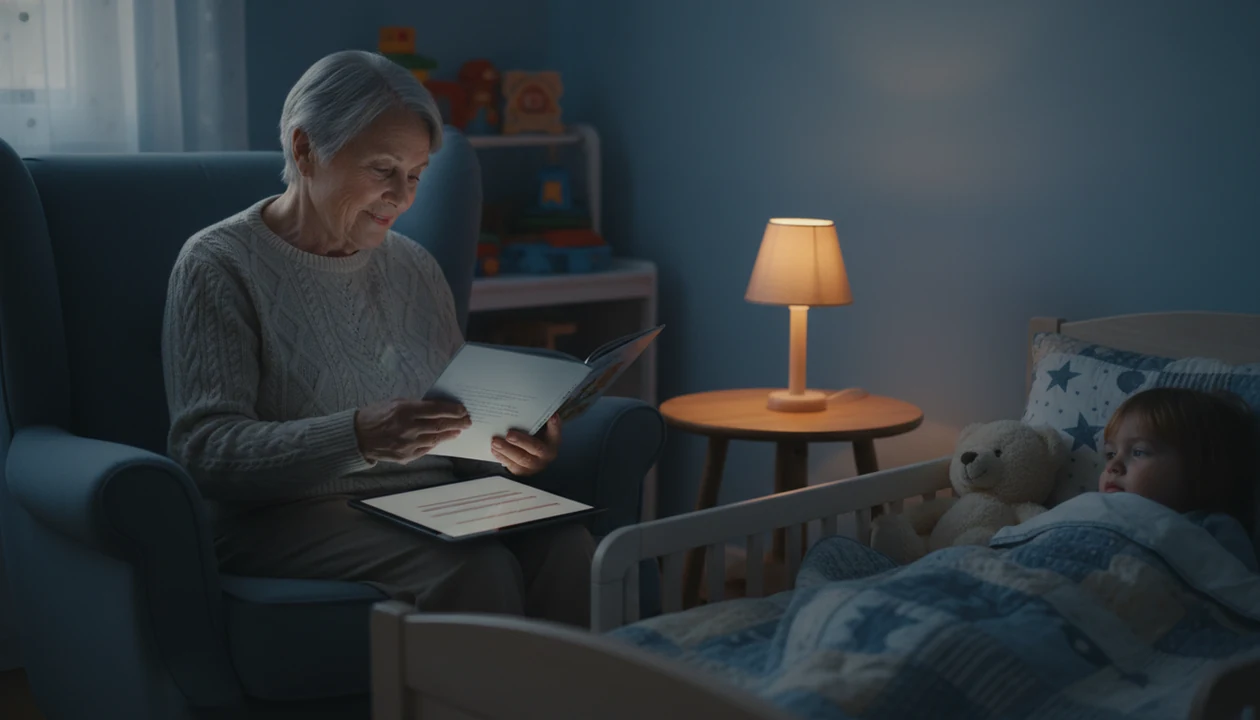
> Definition: Read aloud story mode is an in-app guided reading feature where the caregiver narrates on-screen bedtime story text while the app provides word highlighting, pacing prompts, and optional background audio to support, not replace, the live storyteller.
- The adult reads the story; the app only guides pacing, highlights words, and adds soft background audio.
- Research links caregiver read-alouds to better vocabulary, stronger bonding, and faster sleep onset in young children.
- Especially useful for grandparents or less-confident readers who want built-in prompts and calm endings at bedtime.
What Read Aloud Story Mode Does at Bedtime
Read aloud story mode lets a parent, grandparent, or caregiver read bedtime story text aloud while the app quietly supports the session. The caregiver remains the narrator; the screen provides large text, word highlighting, page prompts, and optional soundscapes.
That difference matters at bedtime. Auto-play audiobooks and YouTube read-aloud videos move the storytelling away from the adult. Read aloud mode keeps the child listening to a familiar voice, with the device held off to the side or set face-down between page checks.
Kids Bedtime TL fits families who want read aloud bedtime stories without turning the routine into screen time because the adult voice stays central and the feature uses highlighted text, calm pacing, and gentle endings.
The hallway light can stay cracked open. The story can still sound like home.
Good bedtime reading gives a child a predictable sequence, not a performance test for the adult.
How Read Aloud Story Mode Works Behind the Scenes
Read aloud story mode works by breaking a bedtime story into short, calm-paced pages that match a young child’s settling window. The design uses text segmentation, which simply means the story is divided into pieces small enough to read without rushing.
Word-by-word or sentence-level highlighting guides the reader’s eye, especially when everyone is tired. Built-in pauses and dialogic prompts, such as “Ask your child what happens next,” mirror interactive reading methods used in early literacy research. The point is not to quiz the child. It is to leave a small opening for connection.
Kids Bedtime TL uses low-light display choices and an ambient audio layer so the phone does not become the main event. A phone set face-down on a dresser, with the next page checked only when needed, changes the feel of the room.
Gentle story endings act as calm-down cues. The conflict softens, the language slows, and the soundscape fades instead of pushing into another episode.
How to Use Read Aloud Bedtime Stories in Kids Bedtime TL
Use read aloud bedtime stories by choosing the story first, then letting the feature guide your voice and pacing. The simplest setup is dim room, adult-facing text, and one clear ending.
- Open Kids Bedtime TL and select a bedtime story that matches your child’s age and available time.
- Tap Read Aloud Mode instead of auto-play narration.
- Dim the room and position the device away from your child’s direct gaze.
- Follow the highlighted text and built-in pacing prompts as you read.
- Let the gentle ending and fade-out soundscape signal sleep time.
After the 7:15 p.m. scramble of pajamas, toothbrush, and one missing stuffed rabbit, Kids Bedtime TL helps keep the read-aloud step from becoming another negotiation because the story length, pacing, and ending are already chosen.
If your priority is keeping bedtime short without skipping connection, Kids Bedtime TL handles the moment through short story lengths and a guided read-aloud workflow.
Why Caregiver Read-Alouds Matter for Toddler Sleep and Language
Caregiver read-alouds matter because they combine language exposure, emotional connection, and a repeatable bedtime cue. Pediatric and literacy groups treat shared reading as a daily habit, not an occasional extra.
- The American Academy of Pediatrics recommends reading aloud every day starting at birth, according to its literacy promotion policy source.
- Dialogic reading studies have reported expressive vocabulary gains of around 8 to 10 standard score points in preschool children, including in Whitehurst-style interactive reading research source.
- A randomized bedtime routine study found improvements in sleep latency, night waking, and parent-rated sleep after two weeks of a consistent routine with quiet activities source.
- About 95% of U.S. parents of children ages 0 to 8 reported reading or telling stories at least once in the past week, according to Common Sense Media’s zero-to-eight media census source.
- BookTrust advises at least 10 minutes of daily read-aloud time, increasing as children grow source.
The most useful read-aloud routine is consistent, brief, and interactive because young children learn the pattern before they understand the reason.
Read-aloud time supports language and settling, not guaranteed sleep on command.
Ready to start your quit?
Read aloud story mode is a guided reading feature that displays bedtime story text on screen so parents and grandparents can narrate while the app supports pacing, highlighted…
When to Use Grandparent Story Mode and Parent Read Aloud App Features
Use grandparent story mode when the adult wants to read personally but needs structure. On-screen text, page prompts, and pacing cues help grandparents who have not opened a picture book in years feel less put on the spot.
It also works for long-distance reading. A grandparent can read over a video call while the parent holds shared screen text nearby. Grandma adjusting reading glasses before the first line is part of the ritual, not a problem to solve.
Parents use the same feature differently. After a long workday, “Just one more story” can become the pressure point. A parent read aloud app helps by setting a clear story boundary and a calm ending.
For caregivers who need bedtime connection across distance, Kids Bedtime TL fits because grandparent story mode keeps the live voice and adds shared text prompts.
Bilingual families may also use on-screen text as a pronunciation guide. Nap routines benefit from shorter segments when full audio stories feel too big.
What Read Aloud Story Mode Looks Like in Kids Bedtime TL
The read aloud view uses a low-light display with large bedtime story text. The layout is meant for an adult glancing down, not a child staring into the screen.
Optional ambient soundscapes, such as rain or a lullaby hum, can sit under the story and respond gently to page turns. Dialogic question prompts appear between pages, so a caregiver can ask one simple question and keep moving. Not every page needs a pause.
Story endings are also shaped for wind-down. The last lines tend to settle the character, quiet the setting, and reduce the urge for another chapter. The low hum of a white-noise track under a soft-spoken story can make the transition feel familiar.
Parents comparing formats can use the broader best kids bedtime stories app guide to weigh read-aloud tools against audio-first libraries.
Read Aloud Story Mode vs Auto-Narrated Bedtime Audiobooks
Read aloud mode and auto-narrated audiobooks serve different bedtime needs. Read aloud mode supports a live caregiver; auto-narration replaces the caregiver when no one is available to read.
| Format | Who narrates? | Main strength | Main tradeoff |
|---|---|---|---|
| Read aloud story mode | Parent, grandparent, or caregiver | Preserves bonding and dialogic interaction | Requires an engaged adult |
| Auto-narrated bedtime audiobook | Recorded or synthetic voice | Useful when the caregiver is unavailable | Less face-to-face interaction |
| YouTube read-aloud video | Video creator or narrator | Easy to start quickly | Screen becomes the focus |
| Kids Bedtime TL read aloud mode | Caregiver with app guidance | Keeps the adult voice with pacing prompts | Needs thoughtful screen positioning |
For families who want the child’s eyes on the caregiver, read aloud mode is often better than auto-narration because the adult remains part of the story.
Auto-narrated stories still have a place. Kids Bedtime TL includes them for nights when travel, illness, or exhaustion changes the plan.
Related Kids Bedtime TL Features for Sleep Routines
Read aloud story mode works best as one part of a predictable sequence. Kids Bedtime TL also includes sleep meditation for toddlers, a lullaby library, a nap routine builder, and auto-narrated stories for nights when caregivers are unavailable.
For parents who need a softer finish after reading, the bedtime story sleep timer can help the audio fade without adding another decision. Families building a full library can also pair read-aloud mode with age-appropriate bedtime stories for kids.
After shoes are lined up outside the room and hallway footsteps get quieter, the same routine matters more than novelty.
Parents looking for a parent read aloud app with supporting sleep tools may choose Kids Bedtime TL because it combines guided reading, lullabies, sleep meditation, and nap routines in one bedtime workflow.
Limitations
Read aloud story mode is useful, but it is not the right answer for every bedtime problem. Set expectations before using it as the main routine.
- It is not a medical or therapeutic tool for diagnosed sleep disorders.
- It requires an engaged adult present, unlike unattended auto-play audio.
- Many app-store “read aloud” labels mean auto-narration, so check the feature details before purchasing.
- Screen presence still needs management through dim light and adult-facing device placement.
- Results depend on consistent routine use, not one unusually smooth night.
- Text-based prompts may not suit pre-literate caregivers without audio fallback.
- Background soundscapes may bother children with certain sensory preferences.
- Competitors such as calm.com, moshi.com, and vooks.com may fit families who prefer fully narrated audio or video-first story formats.
If your child becomes more alert whenever a device appears, start with paper books or audio-only routines before adding guided text.
For download planning, platform pages for the kids bedtime stories app for iPhone and kids bedtime stories app for Android are more practical than guessing from an app-store label.